
Exploring feature requests with
Basecamp

Methodology
Category is: SAAS
For this project, I worked with Chase Clemmons, the customer support lead at 37 signals, Basecamp’s parent company, to define, research, and design a solution for a popular feature request.
Basecamp is a well established project management solution with a unique design culture.

Background

01: 6 Week Cycles
including research, ideation, and pitch
02: Jobs To Be Done
guiding methodology for research
03: Guidelines
"Fisher Price Easy", speed over aesthetics, and fixed time with variable scope
04: Goals
solve for “quick add” feature request
05: Frequency
Basecamp has previously attempted solutions like a quick add button, but has not found a suitable option
The Problem
Basecamp users are frustrated with the slow process of adding items to their to-do list and have requested a "quick add" feature. Chase notes that Basecamp's main competitor is pen and paper due to its speed, but acknowledges the challenges of managing scattered notes.
To address their users' need for organization, we specifically interviewed frequent to-do list users. View the screener survey we created to ensure we selected the most relevant participants.
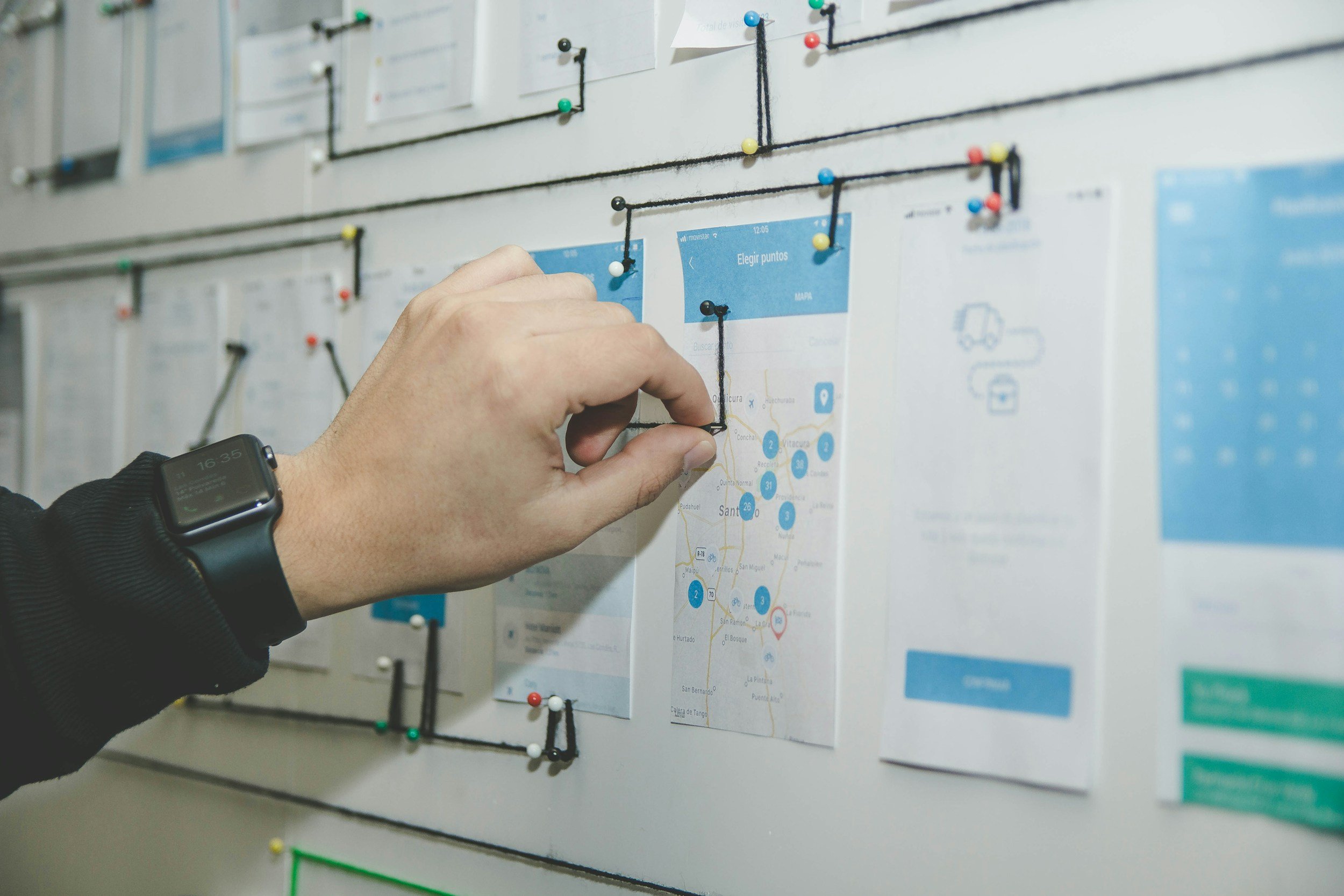
Hypothesis
When we began this project, we thought the problem was that users were frustrated with the time it takes to add a to-do item to a list- sometimes nested 5 or 6 clicks deep.
Research

Cognitive Interview
-
Interview Goal: validate the questions included in the Research Survey.
Method: 1:1 interviews with survey participants during which they are asked to answer each question individually followed by 3 clarifying questions to determine if the questions are clear and will obtain relevant data.
-
Identified 4 key areas of improvement and completed survey revisions accordingly

Survey
-
Survey Goal: To discover how Basecamp users are navigating to and using their task-related and personal to-do lists, the perceived effort to manage their to do list, and screen users to find interview participants that have added items to a to-do list in Basecamp in the last 6 weeks.
Method: Digital survey in Google Forms sent to users of Basecamp’s project management product.
-
Insights:
An overwhelming majority (76%) reported adding to-do list items whenever they think about it, regardless of place and time, and needing to complete this process multiple times in a day.
While closer to half of respondents report navigating to their to-do list through typical user flow (Dashboard > Project > To-Dos), the navigation question began to tease out pain points in the navigation, with some reporting bookmarked pages and some reporting avoiding accessing to-dos in their dedicated space altogether.
Only 15% of respondents do not utilize a separate, personal to-do list.
Although Basecamp considers itself the solution to pen-and-paper project management, 50% are still needing to utilize pen and paper for to-do lists, and only one user reported being able to manage to-do lists exclusively in the product.
Regardless of the need for extra tools and personal workarounds, users largely reported the relative ease of adding a new item to a to-do list within Basecamp.
1:1 Interviews
-
Objectives: understand how users integrate to-do lists in their daily workflow, uncover friction in the current user flow, and discover how users are working around that problem.
Methodology: conduct one on one interviews with participants who have been screened via a survey and were interested in sharing their thoughts.
View full interview guide
-
After speaking with 6 different users with 6 unique ways of utilizing Basecamp’s project management system, I realized there was one thing they all had in common. Whether they were accessing personal lists, creating new ones in projects, or referencing an existing list- it is less about the action of adding or editing, and more about the ease of access.
Feature Requests
Basecamp users are frustrated with the slow process of adding items to their to-do list and have requested a "quick add" feature. Chase notes that Basecamp's main competitor is pen and paper due to its speed, but acknowledges the challenges of managing scattered notes.
To address their users' need for organization, we specifically interviewed frequent to-do list users. View the screener survey we created to ensure we selected the most relevant participants.

Synthesis
Users want a solution that works as fast as keeping another tab open in their browser
They want to reference or edit a selected tool quickly without interrupting their workflow
This problem connects all of the use cases into one job to be done: let me access another resource without losing my place in my work.

Turns out, the problem is
less about navigation,
and more about speed.
Initially, we thought users were frustrated with the lengthy process of adding a to-do item.
However, further research showed that the key issue is ease of access, whether for personal lists, new projects, or existing lists.
Existing UX
Need to edit another document in Basecamp?
You need to complete 6 steps across 3 pages to access and modify a to-do list.

There is no easy way to quickly access another page in Basecamp
Problem: Maybe you want to add notes to a text document during a meeting. Or add to-dos that are coming out of a client call. By the time you find the right page, the moment has passed on to other just-as-important pieces of information.
Current Workaround: You could try using the Jump Menu - but that only works if you've recently visited that particular page. You could bookmark a page - but it's too many clicks/steps to get there via the My Bookmarks page. You could even keep another product open all day.

Brainstorming
-
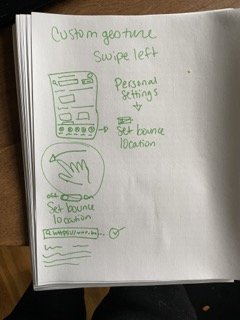
Custom Gesture
Gesture on phone and mouse hover in corner on desktop that switches the screen to a preset destination
-
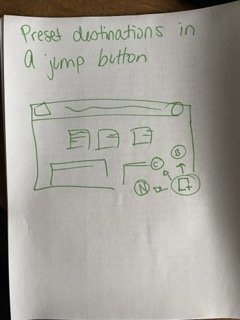
Jump Button
Add a button in the bottom corner that would expand on hover with a few options to click into
-
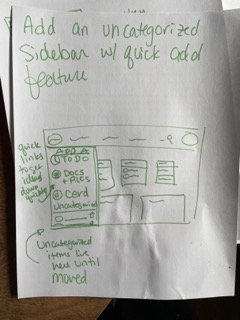
Sidebar
Add a drawer / sidebar with features including a quick add button. Basecamp has tried this once before, but this time we might be able to refine with testing.
-
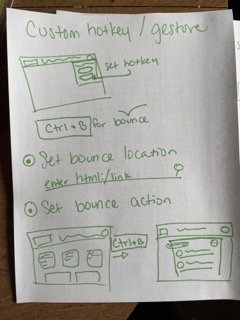
Hotkey
Basecamp has a hotkey in use already, but we can add a second with a customizable location
The Pitch
We're adding a customizable hotkey that takes customers to a page they've set.
Customizable hotkey or gesture allows for seamless referencing without interrupting workflow. Unused hotkey Ctrl+B can be assigned to quickly access specified URL for editing or reference.
Here’s how it works:
Custom Hotkey Destination
Users can set a destination for their hotkey popup in the settings menu. For example, they can use [ctrl+B] in Basecamp to access a link while preserving their previous screen and scroll position. This allows them to easily reference a to-do list or information while working on another task. Once finished, they can close the popup, save their changes, and resume working without interruption.
No Distractions
This solution can also be applied to mobile devices with a swipe gesture. Swiping right currently goes back in the app, but swiping left has no designated function. When implementing a custom hotkey, we can assign this bookmark to the swipe left gesture.

The handoff:
This is where my work with Basecamp concludes. The pitch we made will be added to “the betting table”which will be reviewed internally to determine if and when our solution will be implemented.
I have gone on to develop my designs into a high-fidelity prototype, practicing designing within the existing structure for both visual design and copy.
Wireframes


User Testing
Note:
Due to Basecamp's requirements, I was unable to validate the final designs through user testing. Chase tested the prototype to gauge its fit.
Basecamp will use beta testing for validation if they move forward with my designs.
To inform my prototype design, I mapped out the relevant task flows and tested the two key functions.
Final Designs:
Conclusion
Working with Basecamp, I aligned with the company ethos and utilized their "jobs to be done" framework to research a common feature request. The surprising insight was that Basecamp users prioritize speed of access over navigation. Using Basecamp's design methodology, I developed a new feature in less than 6 weeks and directly collaborated with users to address a common request, which is now being considered for development in the next sprint.

What I enjoyed
The best part of this project was gaining real world experience and observing and integrating into the design culture at a major SAAS company. Working with Basecamp users gave me a deeper understanding of how UX teams can be supported by customer service teams in agile, fast paced environments.
What I learned
I gained experience working with stakeholders and interviewing users using Basecamp, learning to distill projects into actionable tasks. Viewing tasks as the user's jobs revealed the importance of empathy in user-centered design. The "jobs to be done" framework proved invaluable in guiding product development.
What I would do differently
In the future, I will create rough prototypes of my ideas and test them with users during 1:1 interviews in fast-paced design environments. This approach saves time and allows for validation upfront. By having a hypothesis to test during interviews, I could have potentially completed validation work even without formal user testing, similar to how Basecamp rolls out new features in beta form.
Thank you for reading about my time with Basecamp. Check out more of my work from my portfolio or if you’re interested in working further please message me and say hi!